FlowDino Documentation
Discover how to use all FlowDino features
📚 Menu Documentation
Article choice
Article Choice Tab
The "Article Choice" tab of the FlowDino extension allows you to easily select the articles you want to publish on different platforms. This innovative feature simplifies the management of your catalog and optimizes your workflow.
Video demonstration
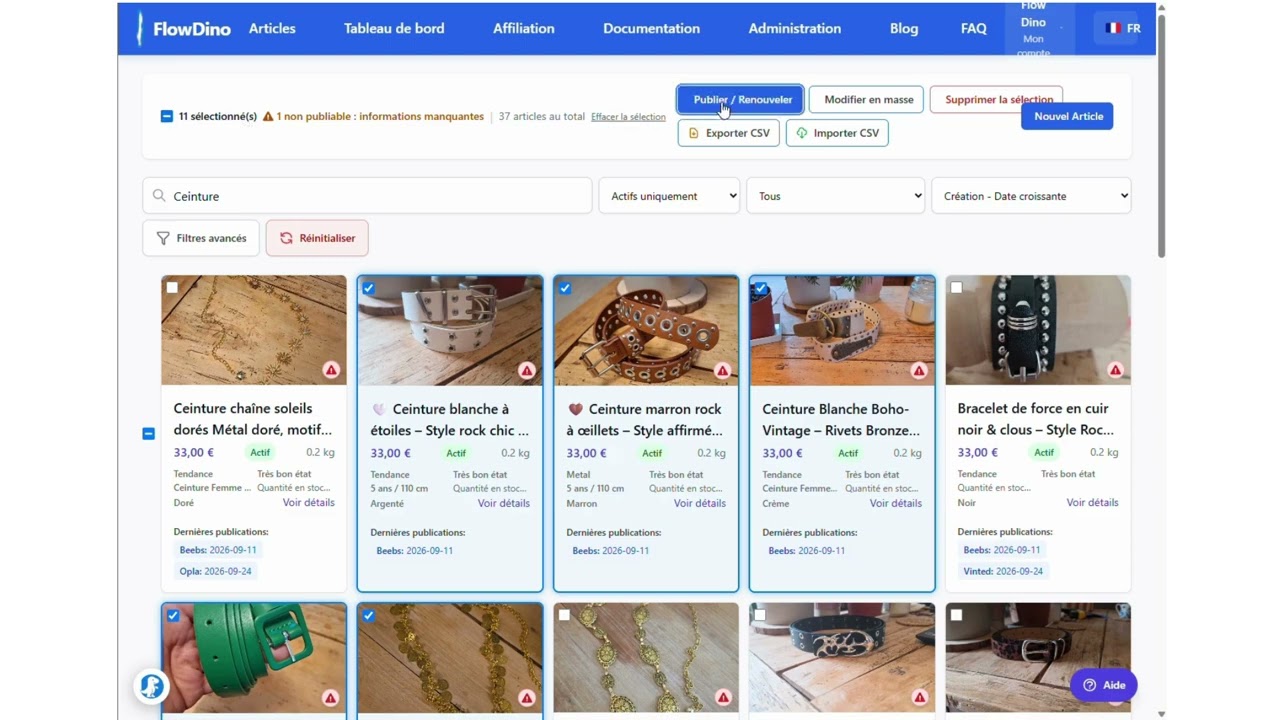
Discover in video how to use the article selection feature:
Tab presentation
The "Article Choice" tab is the starting point of your publishing process. It allows you to browse your FlowDino catalog and precisely select the articles you want to publish on different platforms.

Main features
Article selection
- Intuitive navigation in your catalog
- Multiple article selection with one click
- Automatic weight control of articles
- Preview of selected articles
- Visual highlighting of chosen articles
Selection management
- Easy addition and removal of articles
- Automatic validation of eligible articles
- Selected articles counter
- Selection persistence between sessions
- Clear and organized interface
How to use the "Article Choice" tab
Step 1: Select articles
- When you click on the "Article Choice" tab, the extension will redirect to the FlowDino article list page
- The extension will automatically activate selection mode
- Click on the articles you want to select
Step 2: Manage your selected articles
- Open the FlowDino extension by clicking on its icon in your browser's toolbar
- Click on the "Article Choice" tab
- You will see the complete list of articles you have selected
Step 3: Finalizing the selection
- Check that all desired articles appear in the tab
- Confirm that the article counter matches the number of articles you want to process
- Go to the "Publish" tab to proceed with publishing these articles
Tips and advice
- Remove an article: Click on the "✕" next to the article in the tab to remove it from your selection
- Weight control: Only articles with a specified weight can be selected, as weight is essential for calculating shipping costs
- Articles without weight: Articles without weight information cannot be automatically published and must be completed before selection
- Multiple selection: You can select as many articles as needed by navigating between different pages
- Selection persistence: Your selected articles remain saved even if you close the browser or change sites
- Compatibility: This feature is optimized for major e-commerce site page structures
Troubleshooting
| Problem | Solution |
|---|---|
| Articles are not highlighted when clicked | Refresh the page and try again |
| An article cannot be selected | Check that the article has a weight specified. Articles without weight cannot be selected because shipping costs cannot be calculated |
| Article counter is not updated | Close and reopen the extension |
| Images do not display correctly | A replacement image will be automatically used |