
Vestiaire Collective Software: Publish on Vestiaire and 7 other sites at once
Vestiaire Collective specializes in second-hand luxury and designer fashion, with item verification. Its buyers look for specific brands and accept higher prices.
On Vestiaire Collective, FlowDino responds to offers and can include a discount in the message sent to buyers who have favorited an item, just like on Vinted.
Try for free for 15 daysNo credit card required. You only pay for the sites you connect.
What FlowDino does on Vestiaire Collective
Publish without re-entering
You create the item once in FlowDino (photos, title, description, price) and the Chrome extension publishes it on Vestiaire Collective, with the category and information required by the site.
Automatic removal after a sale
When an item is sold on another site, FlowDino removes its listing from Vestiaire Collective, and vice versa. You no longer sell an item you no longer have.
Renewal of listings
FlowDino republishes your oldest listings on Vestiaire Collective to bring them back up in the results, at the frequency and times you choose.
Response to offers
Offers received on Vestiaire Collective can be accepted or receive a counter-offer automatically, according to the rules you define.
Message and discount to interested buyers
When a buyer favorites your item on Vestiaire Collective, FlowDino can automatically send them a personalized message, along with a discount offer that you set the rate for.
Retrieve your existing listings
Your listings already online on Vestiaire Collective are imported into your FlowDino catalog, without re-entering them. You can then publish them elsewhere.
Your sales in one place
Sales made on Vestiaire Collective appear in your FlowDino dashboard, along with those from your other sites.
Listings filled by AI
Based on your photos, the AI assistant suggests the title, description, brand, category, size, and a price range. You review before publishing.
How it works
- Install the FlowDino Chrome extension and log in to Vestiaire Collective as usual. FlowDino never asks for your password.
- Create your items in FlowDino, or import those that are already online.
- Check Vestiaire Collective and the other desired sites, then publish. The automations run in your browser, open on the relevant site.
Vestiaire Collective and other platforms
The same item can be online at the same time on Vestiaire Collective and on:
And if you have a Shopify, WooCommerce, or PrestaShop store, its catalog follows too.
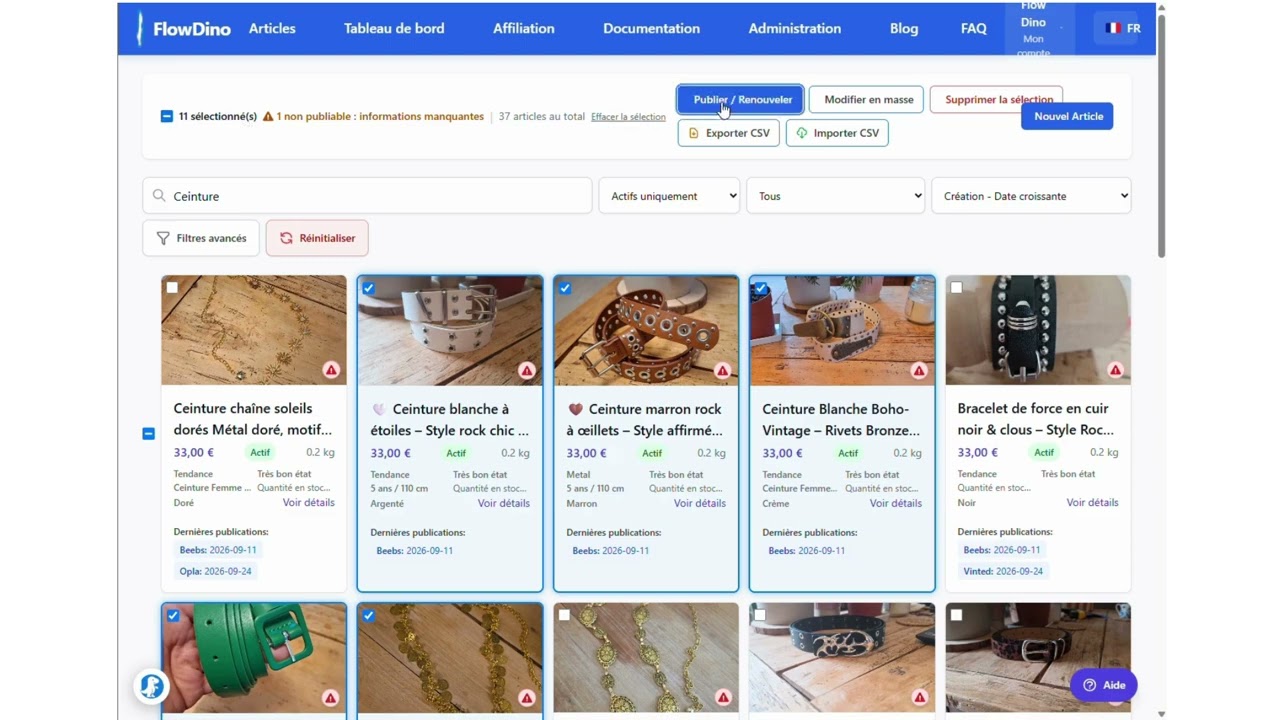
Multi-platform publishing in one minute
Frequently asked questions about FlowDino and Vestiaire Collective
Do I need to give my Vestiaire Collective password to FlowDino?
No. Actions go through the Chrome extension, from your own browser and your already open Vestiaire Collective session. Your password stays with you and does not pass through FlowDino's servers.
What happens when an item listed on Vestiaire Collective is sold elsewhere?
Automatic removal takes down its listing from Vestiaire Collective and other sites where it is published. It is executed by the Chrome extension, with the browser open: this prevents double selling.
Is using FlowDino on Vestiaire Collective risk-free for my account?
FlowDino maintains reasonable usage: delays between actions, volume limits, and a pace close to manual use. The terms of use of Vestiaire Collective may, however, frame automation tools, and no tool can guarantee total absence of risk. The account remains your responsibility: stay measured in your volumes.
How much does FlowDino cost for Vestiaire Collective?
The fee is calculated per connected site: you only pay for the platforms you use. The 15-day free trial, with no credit card, includes 50 items.